Cancel my account
If you wish to close your account, you may do so instantly, at any time:
1) Log in to your account.
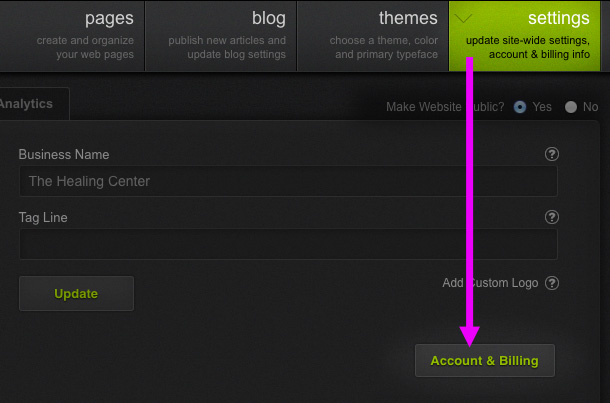
2) Click on the Settings tab in the main toolbar.
3) In the Account tab click on the Account & Billing button.
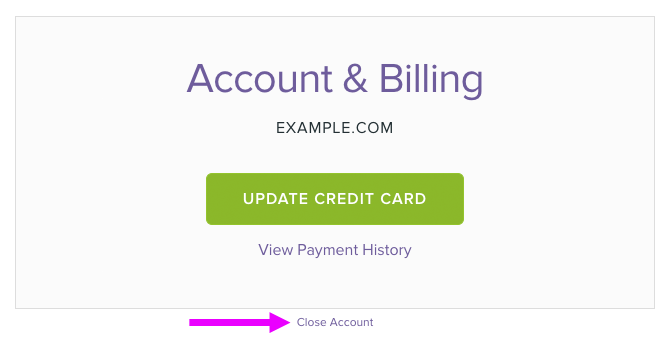
4) On the billing page, click the Close Account link and complete the account cancellation process.
Important: If you registered your domain name through us, you may wish to initiate a Domain Transfer. We recommend transferring the domain prior to canceling your account.